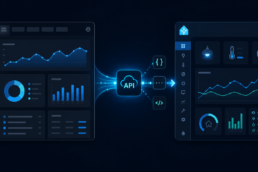
I wanted to start collecting statistics from my Facebook Page Rutg3r.com (https://www.facebook.com/61592811591969/) on a daily basis. The eventual goal is to bring these statistics into my own homelab, store the historical data in MySQL and potentially expose the information in Home Assistant.
The dataset I had in mind was straightforward:
| Date | Followers | New followers | Reach | Engagement | Page views |
|---|---|---|---|---|---|
| 2026-08-12 | 12431 | 14 | 3982 | 421 | 185 |
| 2026-08-13 | 12447 | 16 | 4391 | 487 | 203 |
| 2026-08-14 | 12459 | 12 | 3744 | 398 | 176 |
The numbers above are only an example of the desired database structure. Rather than immediately building Home Assistant automations, Python scripts and MySQL tables, I decided to first prove that Meta would actually provide the required statistics through its Graph API. That turned out to be a very worthwhile exercise.
The Facebook page is currently very small. Meta applies an audience threshold to Page Insights, and Page Insights data is only available once a Page has reached Meta’s required minimum audience threshold, documented as 100 or more likes. I’m not on that level yet, so the rest of this post not a success at this moment. The Blogpost after this one, tells an alternative way how my audience will read my blog posts coming from my Facebook page.
Why use the API?
There are several ways of obtaining information about a Facebook Page. Meta Business Suite provides statistics and allows certain Insights data to be exported manually, while third-party reporting platforms can also collect Facebook statistics. However, my objective is automation.
Eventually I want something along these lines:
Facebook Page
     │
     │ Meta Graph API
     ▼
Daily collector
     │
     ▼
   MySQL
     │
     └──────────────► Home Assistant
Once configured, the collector could run once per day without requiring me to manually export anything from Meta Business Suite. Before building any of this, however, I needed to answer a much more fundamental question: can the Graph API actually return the statistics for my Facebook Page?
The statistics I wanted
The original list consisted of five values: total followers, new followers per day, reach, engagement and Page views. The intended MySQL table could eventually look something like this:
CREATE TABLE facebook_daily (
    date DATE PRIMARY KEY,
    followers INT,
    new_followers INT,
    reach INT,
    engagement INT,
    page_views INT,
    collected_at DATETIME DEFAULT CURRENT_TIMESTAMP
);
The additional collected_at field would be useful for troubleshooting because it would show when the collection process actually ran, independently of the date represented by the statistics.
Meta Graph API permissions
For Page Insights access, the relevant Meta permissions are:
pages_show_list
pages_read_engagement
read_insights
The intention here is purely read-only. There is no reason for this project to obtain permissions for publishing posts, deleting content, managing comments or otherwise modifying the Facebook Page.
The Facebook Page
The Page used for testing was Rutg3r.com, with the following Facebook Page ID:
1150583301482345
A Facebook Page ID is simply an identifier and isn’t a password or authentication credential, so there is no problem publishing it. The sensitive part of the setup is the Page Access Token, which should never be published in a blog article, configuration repository, screenshot or public log.
Using Meta Graph API Explorer
Rather than immediately writing Python code, all initial tests were performed using Meta’s Graph API Explorer. This is extremely useful because it separates API problems from problems in your own code. If a request doesn’t work in Graph API Explorer, there is little point troubleshooting Python, Home Assistant or MySQL.
For these tests I used:
HTTP method: GET
Graph API:   v25.0
First test: can we access the Page?
The first request was deliberately simple:
1150583301482345?fields=id,name
Meta returned:
{
  "id": "1150583301482345",
  "name": "Rutg3r.com"
}
Success. This proved that the Page ID was correct, the token was valid enough to access the Page, Meta could associate the ID with the correct Facebook Page and Graph API v25.0 was responding correctly. At this stage everything looked promising.
First Insights test: daily followers
The next request attempted to retrieve follower information through the Insights endpoint:
1150583301482345/insights?metric=page_follows&period=day
Instead of statistics, Meta returned:
{
  "error": {
    "message": "(#190) This method must be called with a Page Access Token",
    "type": "OAuthException",
    "code": 190
  }
}
This exposed an important distinction. Being able to read /PAGE_ID?fields=id,name does not automatically prove that the token currently selected in Graph API Explorer is a Page Access Token. The Insights endpoint is stricter and explicitly requires the correct Page Access Token.
User Access Token versus Page Access Token
Graph API Explorer showed several token options. Among them were a User Token, the options to generate a User Access Token or App Token, and a separate Page Access Tokens section containing Rutg3r.com.
The crucial step was selecting:
Page Access Tokens
└── Rutg3r.com
rather than continuing with the User Token. After selecting Rutg3r.com, Graph API Explorer switched to the Page Access Token associated with that Page. This immediately resolved OAuth error #190.
This is an important troubleshooting lesson: if /PAGE_ID/insights responds with (#190) This method must be called with a Page Access Token, check the token selector in Graph API Explorer before changing anything else.
Retesting daily followers
With the correct Page Access Token selected, I repeated:
1150583301482345/insights?metric=page_follows&period=day
This time there was no authentication error. Instead, Meta returned:
{
  "data": [],
  "paging": {
    "previous": "...",
    "next": "..."
  }
}
This is an important difference. Previously the request produced an OAuth error; now it successfully reached the Insights API and returned an empty data array. In other words, authentication was now working. Meta accepted the Page, token, Insights endpoint, metric and request, but it simply didn’t return any actual Insights data.
There was another useful lesson here. Meta includes the Page Access Token in the URLs returned under paging.previous and paging.next. A paging URL can look conceptually like this:
https://graph.facebook.com/.../insights?access_token=YOUR_SECRET_TOKEN&...
Therefore, copying an entire Insights response and posting it publicly can inadvertently expose your Page Access Token. For documentation or troubleshooting, remove the token from those URLs or simply replace the paging section with placeholders.
For example:
{
  "data": [],
  "paging": {
    "previous": "[removed]",
    "next": "[removed]"
  }
}
Screenshots should also be checked carefully because the token can be visible inside the paging URLs. Any Page Access Token accidentally exposed during testing should be regenerated before being used in a production configuration.
Testing the Page object directly
Because page_follows wasn’t returning Insights data, I tried another approach. Facebook’s Page object itself exposes follower-related fields, so I requested the Page ID, name, follower count and fan count directly:
1150583301482345?fields=id,name,followers_count,fan_count
This produced:
{
  "id": "1150583301482345",
  "name": "Rutg3r.com",
  "followers_count": 2,
  "fan_count": 2
}
Success. This was actually very useful because it proved that the current number of followers can be retrieved without relying on the Insights endpoint. At the time of testing, both followers_count and fan_count were 2.
Calculating new followers ourselves
Because followers_count works, Meta doesn’t necessarily need to tell us how many new followers were added each day. We can calculate that ourselves by taking a daily snapshot of followers_count and comparing it with the previous day’s value.
Suppose the database eventually contains:
2026-08-13   followers = 120
2026-08-14   followers = 127
The calculation would simply be:
new_followers = 127 - 120
              = 7
In Python this could eventually be as simple as:
new_followers = followers_today - followers_yesterday
This approach has another advantage: we own the historical data. Even if Meta changes or removes a follower-growth Insights metric in the future, our daily snapshots remain available. The first two requirements are therefore effectively solved: total followers can come from followers_count, while new followers per day can be calculated from the difference between consecutive daily values.
Testing Page views
Next I tested Page views:
1150583301482345/insights?metric=page_views_total&period=day
Authentication worked correctly, but Meta again returned:
{
  "data": []
}
There was no OAuth error and no invalid metric error. The API request itself was accepted, but there simply wasn’t any data.
Testing engagement
The next metric was engagement:
1150583301482345/insights?metric=page_post_engagements&period=day
The result was the same:
{
  "data": []
}
At this point a clear pattern had emerged. The three Insights requests for page_follows, page_views_total and page_post_engagements all successfully reached the Insights API but returned an empty data array.
Why is all the Insights data empty?
The important clue was the earlier Page request:
{

"followers_count": 2,

"fan_count": 2 }
The Page is currently very small. Meta applies an audience threshold to Page Insights, and Page Insights data is only available once a Page has reached Meta’s required minimum audience threshold, documented as 100 or more likes.
This explains why the API itself works while the Insights dataset is empty. There is nothing fundamentally wrong with the Page ID, Graph API v25.0, Page Access Token, authentication, Insights endpoint or basic request syntax. The Page simply does not yet have a sufficiently large audience for Meta to expose Page Insights data.
That distinction is important because otherwise it would be very easy to waste time changing API permissions, testing different tokens or rewriting code when none of those things is actually the problem.
What currently works
After testing, the situation is:
| Statistic | Current result | Method |
|---|---|---|
| Total followers | Works | followers_count |
| New followers/day | Possible | Calculate daily difference |
| Reach | Not currently available | Requires Insights data |
| Engagement | Not currently available | Insights returns empty data |
| Page views | Not currently available | Insights returns empty data |
This means it would technically already be possible to build a daily follower collector. For example, we could eventually create historical data such as:
date        followers   new_followers
2026-08-12  2           0
2026-08-13  2           0
2026-08-14  3           1
However, that isn’t the complete dataset I originally wanted, so there isn’t much benefit in building the entire Home Assistant/MySQL infrastructure yet.
What about Reach?
Reach deserves some additional attention because Meta’s Insights API has changed substantially over time. Older tutorials frequently refer to metrics such as:
page_impressions_unique
Those older examples should not automatically be copied into new implementations. Meta has retired and replaced various Page Insights metrics over time, and newer Graph API versions introduced additional changes around views and viewers.
For a new implementation, newer viewer/media-view metrics need to be considered rather than assuming that legacy page_impressions_unique examples still represent the correct way to obtain Page reach. One relevant newer metric to investigate when the Page becomes eligible for Insights is:
page_total_media_view_unique
This represents unique media viewers and is conceptually closer to the newer measurement model Meta has been moving toward. Testing it now isn’t particularly useful because the Page currently doesn’t qualify for the Insights data anyway. Once the Page passes the Insights threshold, the exact reach/viewer metric should be tested against the then-current Graph API version before building the production collector.
Why I stopped testing
At this point it would have been possible to continue trying dozens of Insights metrics, but that wouldn’t accomplish much. We had already established the following:
Page API             → works
Authentication       → works
Page Access Token    → works
followers_count      → works
Insights endpoint    → works
Insights data        → empty
Current Page audience → 2
Therefore, the sensible conclusion was to stop. This is also why I didn’t start building the Home Assistant/MySQL implementation. Building a complete collector now would mean creating a system in which three of the five desired columns cannot currently be populated.
The future architecture
Once Page Insights become available, the architecture I intend to use is still quite simple:
             Facebook
                 │
                 │ Graph API
                 ▼
        ┌──────────────────┐
        │ Python collector │
        └────────┬─────────┘
                 │
            once per day
                 │
                 ▼
        ┌──────────────────┐
        │      MySQL       │
        ├──────────────────┤
        │ date             │
        │ followers        │
        │ new_followers    │
        │ reach            │
        │ engagement       │
        │ page_views       │
        │ collected_at     │
        └────────┬─────────┘
                 │
          ┌──────┴
          │
          ▼
   Home Assistant
The collector only needs to run once per day because this isn’t real-time telemetry. MySQL would become the long-term source of truth, allowing the historical statistics to remain available independently of what Meta decides to expose through its API in the future.
Proposed database structure
When the project resumes, something similar to this should be sufficient:
CREATE TABLE facebook_daily (
    date DATE PRIMARY KEY,
    followers INT,
    new_followers INT,
    reach INT,
    engagement INT,
    page_views INT,
    collected_at DATETIME DEFAULT CURRENT_TIMESTAMP
);
A daily dataset could then eventually look like:
date        followers   new_followers   reach   engagement   page_views
2026-08-12  12431       14              3982    421          185
2026-08-13  12447       16              4391    487          203
2026-08-14  12459       12              3744    398          176
These are example values rather than actual statistics from the Page.
Authentication in the final implementation
When this project eventually moves into production, the Page Access Token should not be hardcoded into Home Assistant YAML, a Python script, WordPress PHP, GitHub or a public Docker Compose file. Instead, I would use environment variables or an equivalent secrets mechanism.
For example:
FB_PAGE_ID=1150583301482345
FB_PAGE_ACCESS_TOKEN=YOUR_SECRET_TOKEN
Python can then retrieve them with:
import os

page_id = os.getenv("FB_PAGE_ID")
access_token = os.getenv("FB_PAGE_ACCESS_TOKEN")
The script itself can then safely be stored in source control without containing the Facebook credentials.
All API tests used during this investigation
For future reference, these are the important requests used during testing.
Verify the Page
GET /1150583301482345?fields=id,name
Successful response:
{
  "id": "1150583301482345",
  "name": "Rutg3r.com"
}
Retrieve current follower counts
GET /1150583301482345?fields=id,name,followers_count,fan_count
Actual result during testing:
{
  "id": "1150583301482345",
  "name": "Rutg3r.com",
  "followers_count": 2,
  "fan_count": 2
}
Test daily follower Insights
GET /1150583301482345/insights?metric=page_follows&period=day
Result:
{
  "data": []
}
Test daily Page views
GET /1150583301482345/insights?metric=page_views_total&period=day
Result:
{
  "data": []
}
Test daily Page engagement
GET /1150583301482345/insights?metric=page_post_engagements&period=day
Result:
{
  "data": []
}
The Page Access Token mistake
One of the most useful findings from this exercise was the difference between User and Page tokens. Initially this worked:
GET /1150583301482345?fields=id,name
but the Insights request returned:
(#190) This method must be called with a Page Access Token
The solution in Graph API Explorer was to open the token selector and select:
Page Access Tokens
└── Rutg3r.com
After doing that, the OAuth error disappeared. So if you’re reproducing this setup and see error #190, don’t immediately start changing permissions, Page IDs or API versions. First verify that Graph API Explorer is actually using your Page Access Token rather than your User Access Token.
Security lesson: regenerate exposed tokens
During testing I also discovered how easy it is to accidentally expose a Facebook token. Even when the token isn’t explicitly printed as a separate JSON property, Meta may include it inside the paging.previous and paging.next URLs.
For example:
.../insights?access_token=SECRET_TOKEN&...
That means API output should always be sanitized before posting it on a forum, opening a GitHub issue, publishing it on a blog, sharing a screenshot or sending logs to someone else. Any token that has accidentally been exposed should be considered compromised and regenerated before being used in the final implementation.
The Page ID itself is different. An ID such as:
1150583301482345
is an identifier rather than an authentication secret and can safely be included in documentation and API examples.
Conclusion
The experiment was successful even though I didn’t end up with all the statistics I originally wanted. We proved that Meta Graph API access works, the Facebook Page ID is correct, Page Access Token authentication works, followers_count and fan_count can be retrieved, and daily follower changes can therefore be calculated ourselves. We also proved that the Insights endpoint accepts our authenticated requests.
What we don’t currently have is the actual Page Insights dataset. With only 2 likes/followers at the time of testing, Rutg3r.com is below Meta’s minimum audience threshold for Page Insights. The limiting factor therefore isn’t Home Assistant, Python, MySQL or the Graph API configuration; it’s simply the current size of the Facebook Page.
For that reason I’ve decided not to build the complete Home Assistant/MySQL collector yet. Once the Page reaches the required threshold, I’ll return to Graph API Explorer and repeat the Insights tests. At that point I’ll verify which current Graph API metrics provide the best values for followers, reach/viewers, engagement and Page views.
If those tests return data, the next phase will be much more interesting:
Facebook Graph API
        ↓
Automated daily collector
        ↓
      MySQL
        ↓
 Home Assistant
For now, however, this API investigation has done exactly what it needed to do: prove what works before spending time building the rest of the infrastructure.