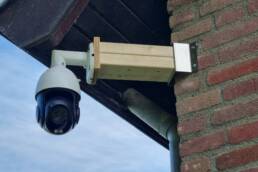
I run seven Reolink cameras through Frigate on a dedicated Proxmox LXC, and for the most part they stay up without any attention. But occasionally a camera drops — a reboot, a network hiccup, an NTP issue — and I would rather know about it immediately than discover it when I actually need the footage. So I built a small availability monitor directly in Home Assistant.
The setup has three parts: a group that collects all seven camera entities, a template sensor that counts how many are currently unavailable, and a dashboard badge that only appears when that count is above zero.
The group
Home Assistant expand() function works on a group entity. That means I need to define the group explicitly in groups.yaml rather than relying on any auto-generated grouping:
reolink_cameras:
  name: Reolink Cameras
  entities:
    - camera.reolink_e1_4k_wifi_white_fluent
    - camera.reolink_p324_poe_dryroom_fluent
    - camera.reolink_p324_poe_hallway_fluent
    - camera.reolink_p850_poe_garden_fluent
    - camera.reolink_p330_poe_garage_back_fluent
    - camera.reolink_trackmix_p760_driveway_fluent
    - camera.reolink_video_doorbell_poe_fluent
This creates group.reolink_cameras, which the template sensor can iterate over. Without the group defined, expand() returns nothing and the count is always zero, which looks fine until a camera actually goes offline.
I use the _fluent sub-stream entities here rather than the main stream entities. Fluent is the sub-stream Frigate uses for detection, and it is what I want to monitor. If the fluent stream is unavailable, Frigate has lost contact with the camera.
The template sensor
The sensor lives in my config_groups.yaml file alongside my other future group sensors:
- name: "Reolink cameras unavailable count"
  unique_id: reolink_cameras_unavailable_count
  unit_of_measurement: "cameras"
  state: >-
    {{ expand('group.reolink_cameras')
      | selectattr('state','in',['unavailable','unknown'])
      | list | count }}
It expands the group into individual entities, filters for any in unavailable or unknown state, and returns the count. Both states are worth catching. unavailable is the typical offline state, while unknown shows up briefly on HA restart or when an integration has not reported back yet.
The sensor state is just a number: zero when everything is healthy, non-zero when something needs attention.
The badge
The badge sits in my HA header bar alongside my other status indicators. It only appears when the count is above zero:
type: entity
show_name: false
show_state: true
show_icon: true
entity: sensor.reolink_cameras_unavailable_count
color: deep-orange
icon: mdi:update
name: Offline
state_content:
  - name
  - state
tap_action:
  action: navigate
  navigation_path: http://192.168.1.46:8123/config/dashboard
visibility:
  - condition: numeric_state
    entity: sensor.reolink_cameras_unavailable_count
    above: 0
show_entity_picture: false
The deep-orange color makes it stand out without being as alarming as red. When all cameras are up, the badge does not exist on the dashboard. When one drops, it appears with the count. That is the behaviour I want — no permanent status widget to train myself to ignore, just a signal that appears when something actually needs attention.
Why not an automation or notification?
I already have push notifications for Frigate events, but a camera going offline is not a Frigate event — Frigate just stops seeing it. A persistent badge covers the gap without adding notification noise. If I am actively looking at my dashboard and a camera has been down for a while, I will catch it. If I am not, it will still be there when I next open HA.
It is a lightweight addition to the setup and took about ten minutes to put together. The only non-obvious part is that the group has to be explicitly defined. expand() will not work on an ad-hoc list of entity IDs.