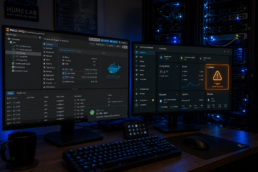
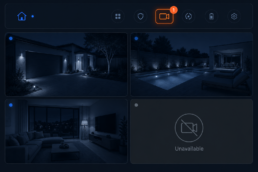
I’ve been running Frigate on my Proxmox host with a Google Coral USB accelerator for months, and I assumed it was doing its job. Then I started seeing recording cache warnings on my doorbell camera, and when I dug into Frigate’s stats I found the Coral was taking 22 ms per inference. A USB Coral should do roughly 6 to 12 ms. It turned out my Coral had been running at USB 2 speed the whole time.
The culprit wasn’t Proxmox, LXC or Frigate. It was the USB cable. In this post I’ll show how I diagnosed it, what didn’t work, and the simple fix that brought inference down to under 6 ms.
My setup
- Proxmox VE on a NUC-style mini PC
- Frigate 0.18 in Docker inside an LXC container
- Google Coral USB accelerator, passed through to the container
- Eight IP cameras, detection at 5 to 7 fps per camera
- Home Assistant pulling Frigate stats over MQTT
The symptom: slow inference and skipped frames
Frigate’s stats endpoint shows exactly how the detector is performing:
curl -s http://<frigate-ip>:5000/api/stats | python3 -c "import sys,json; s=json.load(sys.stdin); [print(k, v['inference_speed'], 'ms') for k,v in s['detectors'].items()]"
Mine returned coral 22 ms. That number matters more than it looks. A detector at 22 ms can handle about 1000 / 22 = 45 detections per second, and that capacity is shared by all cameras.
Per camera, the stats showed the effect: my doorbell and garden cameras had a process_fps around 1 and a skipped_fps around 6. Most of their frames never reached the Coral. Detection lagged behind recording, segments piled up in the cache, and Frigate started warning about it.
Step 1: check the real USB link speed
lsusb -t gives you the bus tree, but there’s a catch with the Coral. It has two identities:
- 1a6e:089a: bootloader mode, before Frigate loads the firmware. In this mode it always shows 480M, even on a USB 3 port. That’s normal and tells you nothing.
- 18d1:9302: after Frigate loads the firmware, the Coral re-enumerates. This is the speed that counts.
So check it with Frigate running. This loop on the Proxmox host prints the Coral’s ID, negotiated speed and USB path:
for d in /sys/bus/usb/devices/*; do [ -f "$d/idVendor" ] || continue; case "$(cat $d/idVendor):$(cat $d/idProduct)" in 1a6e:089a|18d1:9302) echo "$(cat $d/idVendor):$(cat $d/idProduct) speed=$(cat $d/speed) path=$d";; esac; done
My result:
18d1:9302 speed=480 path=/sys/bus/usb/devices/3-1
Firmware loaded, but stuck at 480 Mbit/s, which is USB 2.
Step 2: what didn’t fix it
- A different rear USB-A port: still
speed=480, now on path3-3. - Checking the host’s USB controllers:
lsusb -t | grep -E "^/:"showed two 10 Gbps root hubs, so USB 3 was available. The Coral just wasn’t negotiating it. - Flipping the USB-C plug at the Coral end: a known quirk, sometimes the USB 3 lanes only work in one orientation. Not in my case.
When two different USB 3 ports both fall back to USB 2, the problem is on the device side: the plug or the cable.
Tip: stopping the container doesn’t power the Coral down. If the device number in lsusb -t hasn’t changed, it was never actually re-plugged. Use pct stop <id>, physically unplug it, then pct start <id>.
Step 3: the fix, a proper USB-C 3.2 cable
I bought a USB-C to USB-C cable rated for USB 3.2 and connected the Coral directly to the USB-C/Thunderbolt port on the back of the mini PC, with no hub or adapter in between. After restarting the container:
18d1:9302 speed=5000 path=/sys/bus/usb/devices/2-3
USB 3 at 5000 Mbit/s, now on the USB-C controller (bus 2).
The result
coral 5.94 ms
| Before | After | |
|---|---|---|
| USB link | 480 Mbit/s (USB 2) | 5000 Mbit/s (USB 3) |
| Inference speed | ~22 ms | ~5.9 ms |
| Max detections per second | ~45 | ~170 |
| Doorbell process / skipped fps | ~1 / ~6 | 7.0 / 0.0 |
| Total skipped fps (8 cameras) | high | 1.2 |
Almost four times faster, from swapping a cable.
Bonus lesson: the bottleneck was hiding the real load
With the Coral finally fast, Frigate’s stats showed the true demand: about 127 detections per second, with the doorbell and garden cameras alone responsible for almost three quarters of it. A slow detector caps detection_fps, so you never see what your cameras actually ask for.
Those two cameras have very sensitive motion settings, so IR noise, plants and insects at night all count as motion. A faster Coral gives me headroom, but tuning motion with Frigate’s Motion Tuner is the real long-term fix.
LXC tip: pass through the whole USB bus
If your LXC passes the Coral through by a fixed path like /dev/bus/usb/003/002, it breaks as soon as you move to another port, and the Coral also changes device numbers after the firmware loads. Pass through the whole bus instead in /etc/pve/lxc/<id>.conf:
lxc.cgroup2.devices.allow: c 189:* rwm
lxc.mount.entry: /dev/bus/usb dev/bus/usb none bind,optional,create=dir
With this in place, moving my Coral from USB-A to USB-C needed no config change at all.
Monitoring Coral speed in Home Assistant
Frigate publishes its full stats to MQTT on frigate/stats. I use this MQTT sensor to show the Coral inference speed on my system dashboard. That makes a regression, like a cable falling back to USB 2, visible immediately:
mqtt:
  sensor:
    - name: "MQTT Frigate Coral Inference Speed"
      unique_id: mqtt_frigate_coral_inference_speed
      state_topic: "frigate/stats"
      value_template: >
        {% if value_json.detectors is defined
          and value_json.detectors.coral is defined
          and value_json.detectors.coral.inference_speed is defined %}
        {{ value_json.detectors.coral.inference_speed | round(2) }}
        {% else %}
        {{ none }}
        {% endif %}
      unit_of_measurement: "ms"
      icon: mdi:brain
      expire_after: 180
      force_update: true
expire_after: 180 makes the sensor unavailable if Frigate stops publishing for three minutes, which works as a free health check.
Conclusion
If your Coral USB is slower than about 10 ms in Frigate, check the negotiated USB speed with Frigate running before you blame Proxmox, LXC or Frigate. The cable that comes with many devices, or one from your drawer, may only carry USB 2. A proper USB 3.2 cable on a rear USB-C port took my Coral from 22 ms to under 6 ms, and that cleared up the skipped frames and the cache warnings with it.